- Home
- Complete Hunting

Complete Hunting
18 €
Complete Hunting for QBCore turns the San Andreas wilderness into an active hunting economy. Players track wildlife using footprints and environmental cues, hunt with weapon-tier-based reward quality, cook meat at campfires, and sell harvested items at legal or illegal sell locations — all wired into QBCore's native job and economy systems. Requires an active QBCore installation.
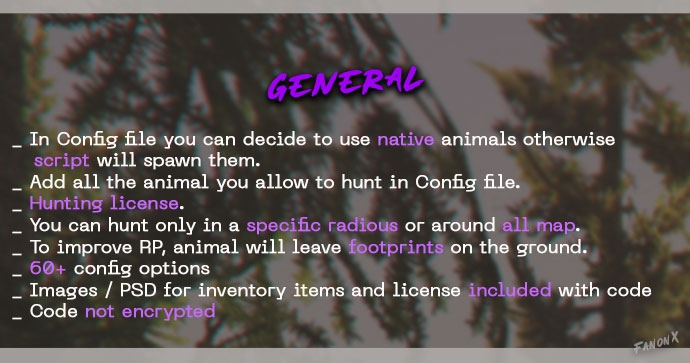
- Wildlife AI leaves footprints and responds to player movement — players track animals, not waypoints
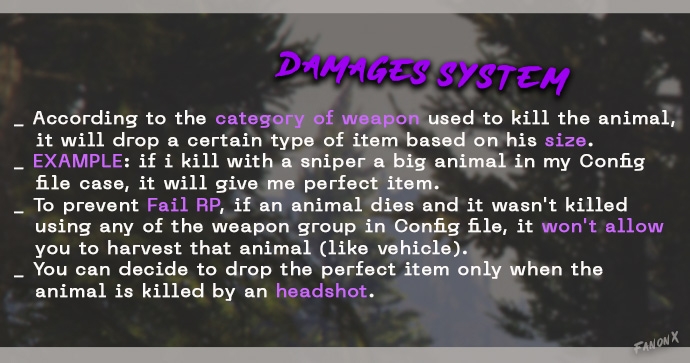
- Weapon tier and shot placement determine item quality: a sniper headshot on a large animal yields a perfect-quality drop
- Legal and illegal animal categories feed into two separate sell economies — one visible, one not
Watch Complete Hunting in action
Overview
Most QBCore roleplay servers have the same structural problem: the countryside is empty. Players cluster in the city because that's where the economy and activity are. The map outside city limits becomes dead space that exists only for drive-bys and chases. Complete Hunting for QBCore addresses that directly — it gives civilian-path players a full job loop that happens entirely in the wilderness.
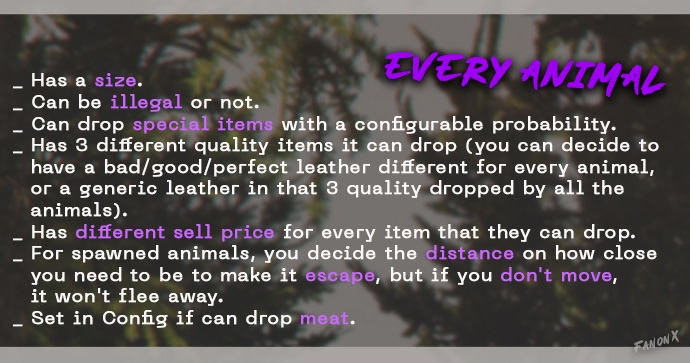
Animals behave with configurable AI: they leave footprints on the ground, respond to how close players get, and flee if movement is detected but hold position if the player stays still. When an animal is downed, the quality of what it drops is determined by the weapon category used and where the shot landed — killing a large animal with a sniper rifle and landing a headshot yields the perfect-quality item for that species. Killing the same animal with a vehicle yields nothing harvestable. That damage-tier logic creates meaningful gear decisions that don't exist in most FiveM hunting scripts.
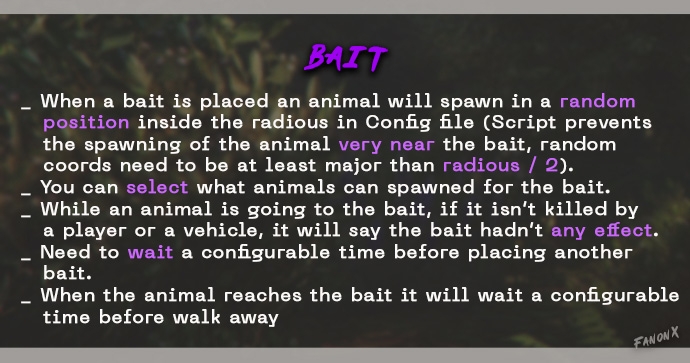
Each animal species has its own configurable drop table: three quality tiers of items, species-specific meat types, and configurable sell prices. Players can use bait to attract animals to a chosen location, cook harvested meat at a placed campfire, and sell at one of two designated sell points — one for legal animals, one for illegal species. The hunt, cook, and sell loop gives civilian players a complete session structure without touching criminal or emergency-services RP.
What’s Included
- Wildlife Footprint Tracking: Animals leave footprints on the ground — players follow environmental cues rather than chasing map markers
- Weapon-Tier Damage System: Item quality on harvest is determined by the weapon category used and whether the kill was a headshot — sniper on large animal equals perfect-quality drop
- Per-Species Drop Tables: Each animal has three configurable quality tiers, species-specific meat items, and individual sell prices
- Bait Spawning System: Place bait to attract animals to a chosen location; a configurable cooldown prevents bait spam
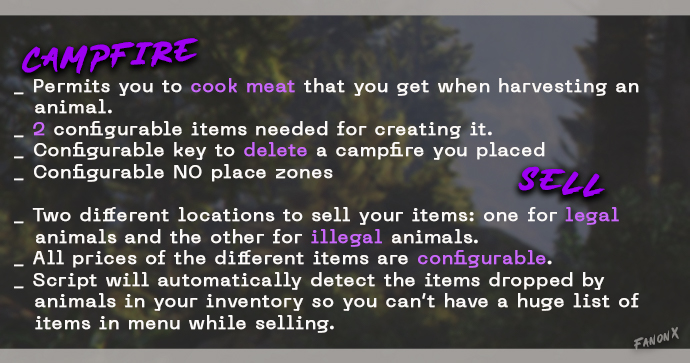
- Campfire Cooking: Players cook harvested meat at a placed campfire — two configurable items required to build it, configurable no-place zones supported
- Dual Sell Economy: Two separate sell locations — one for legal animals, one for illegal species — with fully configurable prices
- Hunting License System: Players require a hunting license to participate — configurable enforcement
- Configurable Hunt Zones: Restrict hunting to a defined radius or open the entire map, set in the config file
Complete Plus
You’re looking at 18€. Complete Plus is 28€/month.
Covers Complete Hunting, every other script we’ve shipped, and every release while you’re subscribed. Math check: if you’ll use two or more scripts in your build, Plus already costs less than buying them individually.
Dependencies
- QBCore
- ox_lib
Frequently Asked Questions
Does this work on a standalone or ESX or QBOX server?
No. Complete Hunting for QBCore is built against QBCore framework architecture specifically. It requires an active QBCore installation. For ESX servers, the ESX version is a separate purchase at the same price. For vRP, QBOX, or other frameworks, no compatible version currently exists.
Can we configure what wildlife drops and what each item is worth in our economy?
Yes. The open configuration sections cover reward types and economy values, allowing your team to match them to your server's existing QBCore economy tables without touching the escrowed core.
How does the hunting job integrate with an existing QBCore job system?
The script integrates with QBCore's native job architecture.
How many concurrent hunters can the script support without performance issues?
The script is optimized for minimum `resmon` footprint. Specific limits depend on server hardware, but the AI and tracking systems are built to run efficiently under standard server load conditions.
Technical Notes
Requires an active QBCore framework installation, this is not a standalone resource. Economy reward integration hooks into native QBCore job and economy systems; open configuration sections allow adjustment of reward types, values, and wildlife parameters. Distributed via Cfx.re Asset Escrow with open configuration sections. Database import required, beyond standard QBCore database setup. Purchased via Tebex secure checkout, select the QBCore version explicitly at checkout. All future updates free via Keymaster re-download.
Support & Refund Policy
For purchase or website support, please contact Tebex. We offer support all the days, with faster response times during weekdays, but only during working hours of GMT+1.
Refunds are not accepted after purchase as the package is delivered in a fully functional condition. In some cases, and at our sole discretion, we may offer a refund if the issue cannot be resolved or if you are unable to get the script working despite our best efforts. We reserve the right to deny a refund request at any time and for any reason. Initiating a chargeback may result in actions from Tebex and Complete Scripts due to violations of Tebex policies.