- Home
- Complete Hud
Complete Hud
28 €
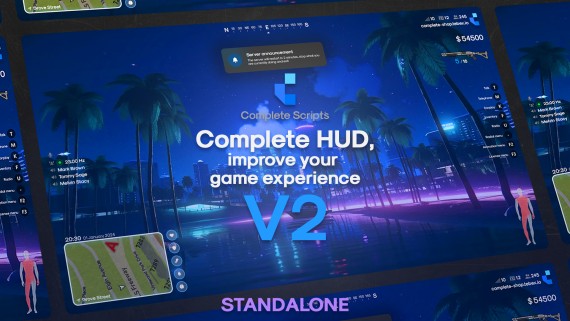
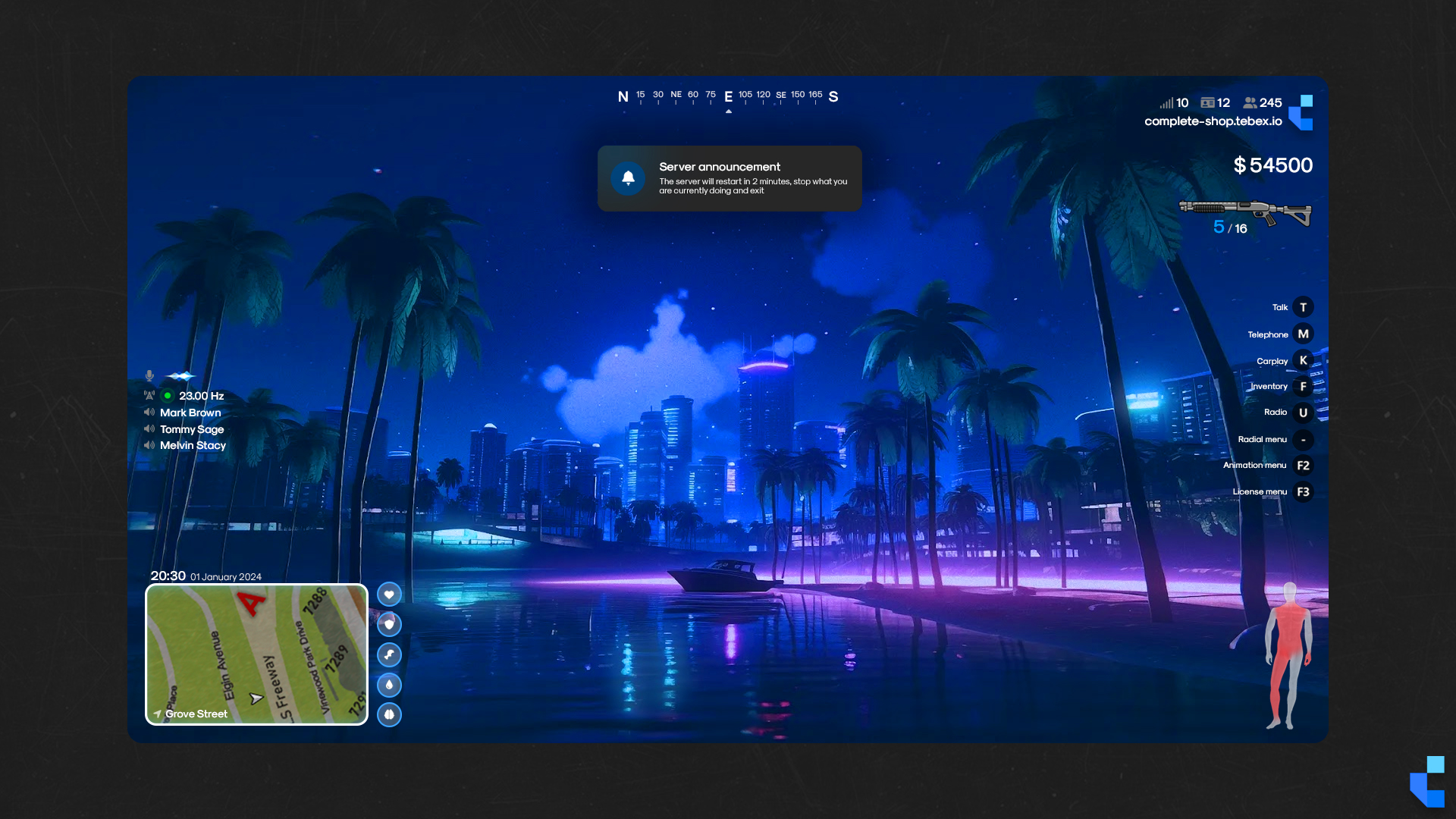
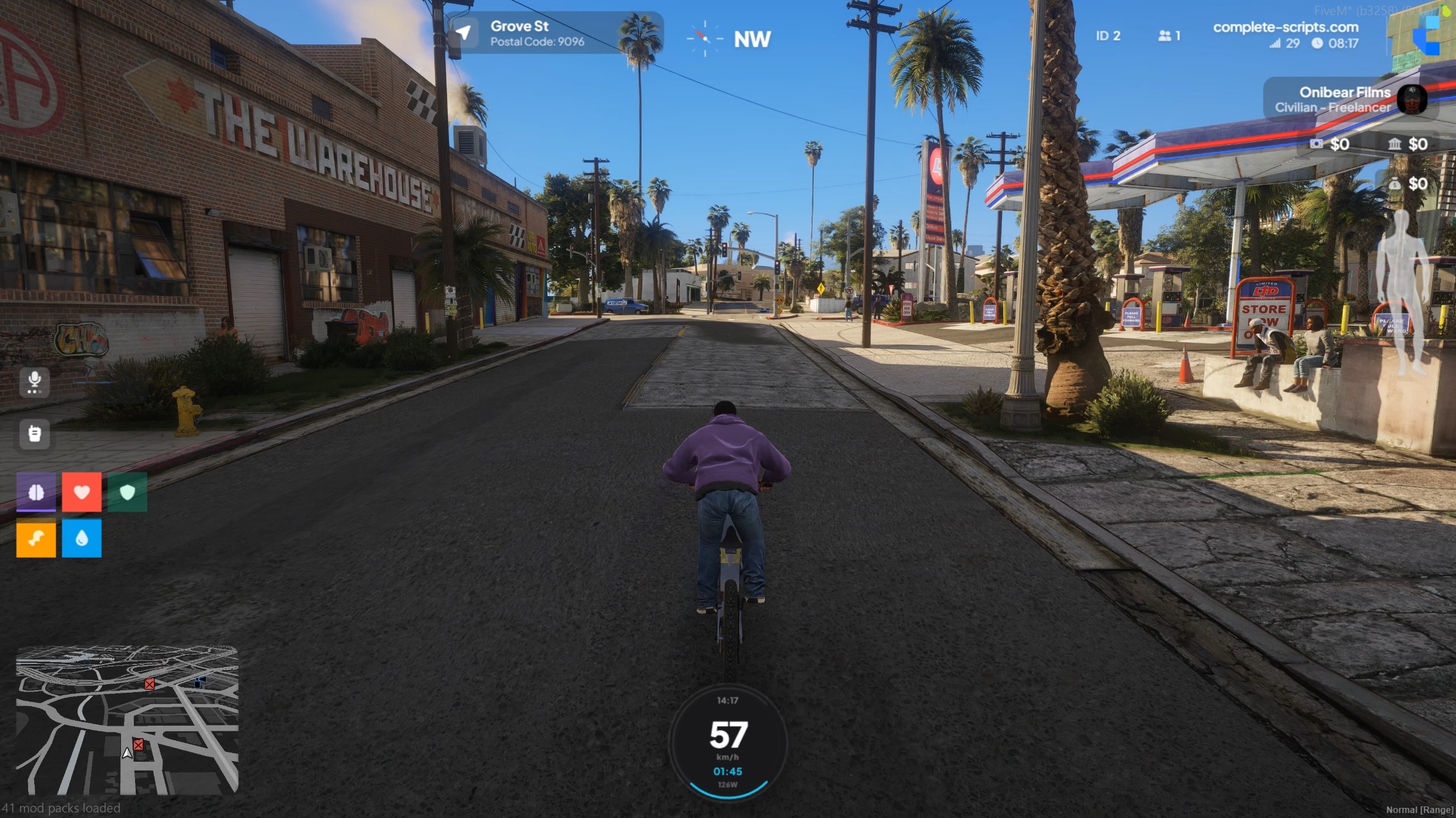
Complete HUD V3 is a full rebuild of the HUD, built around two ideas: a widget system your players choose from, and total control over where everything sits. Every component can be moved, resized and recoloured on screen, with smooth transitions as it updates. Widgets cover things like live FPS with a graph, a drift counter, weather and much more, with more shipping regularly. On top of that: body damage status, a radio panel listing everyone on the channel, indicators, configurable promo and announcement popups, and full config import and export. Standalone across ESX, QBCore, QBOX and vRP. Free for existing Complete HUD owners.
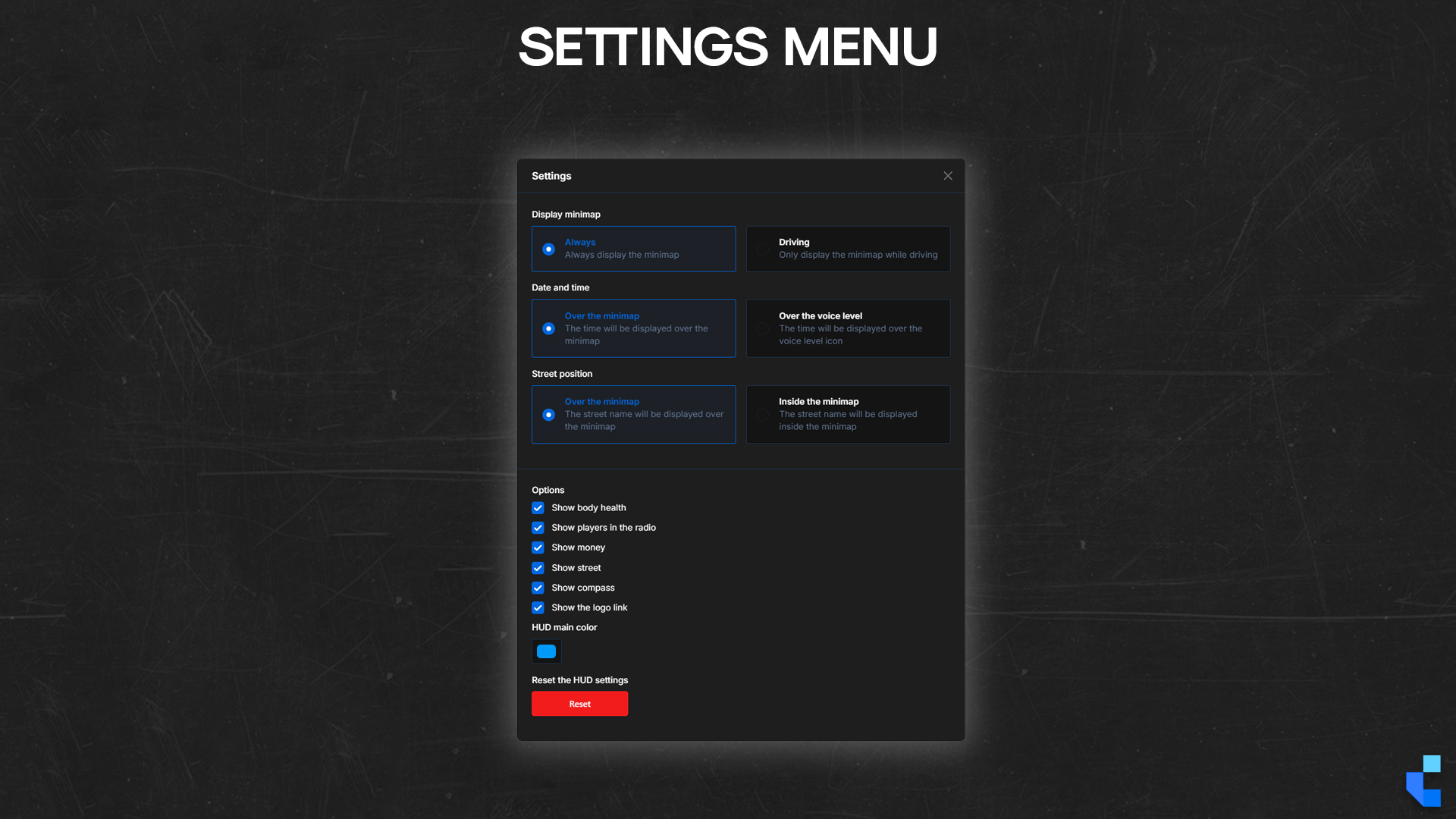
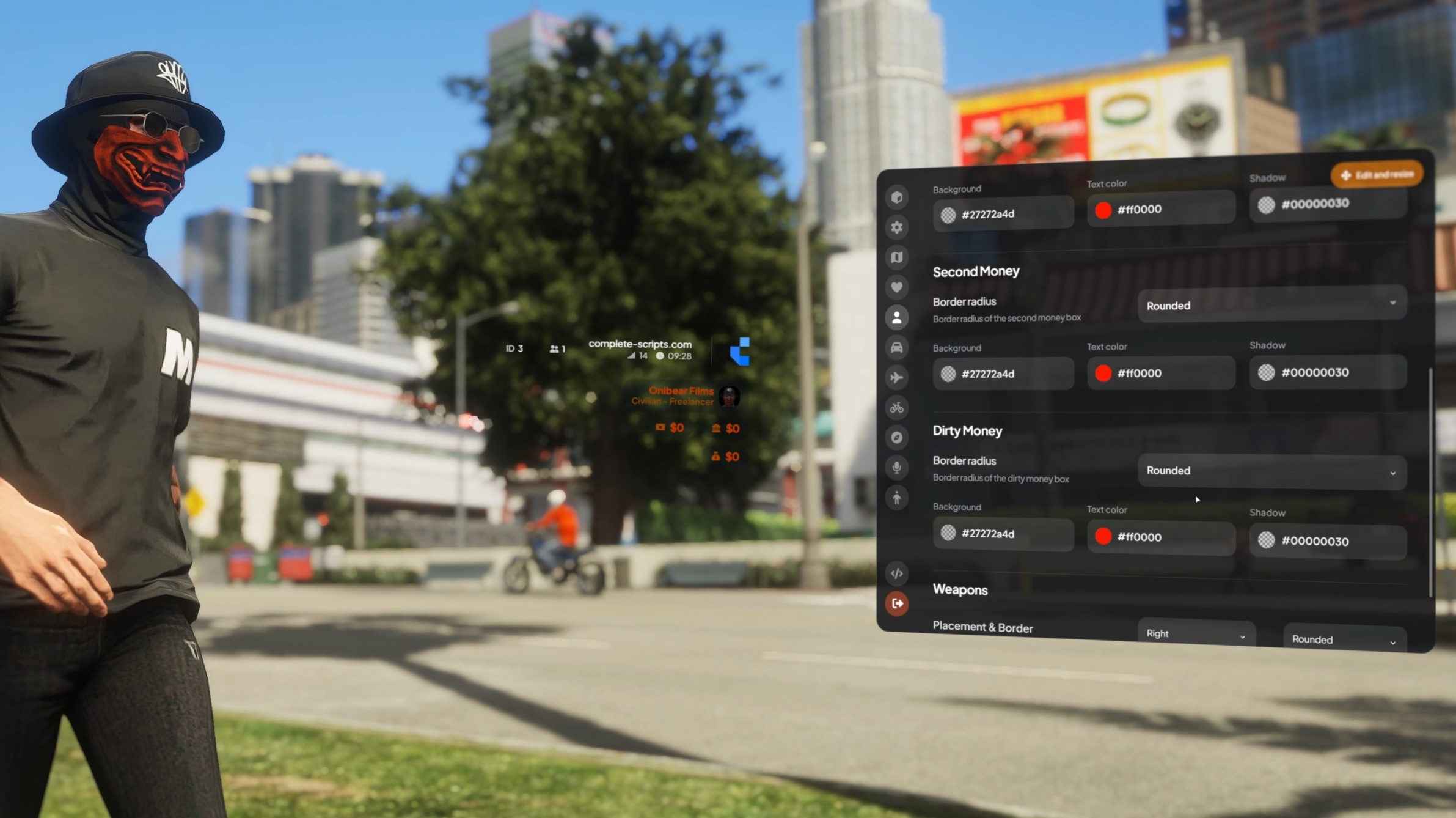
- Every component moves, resizes and recolours. Players configure their own layout in-game, no config.lua edits, no admin involvement
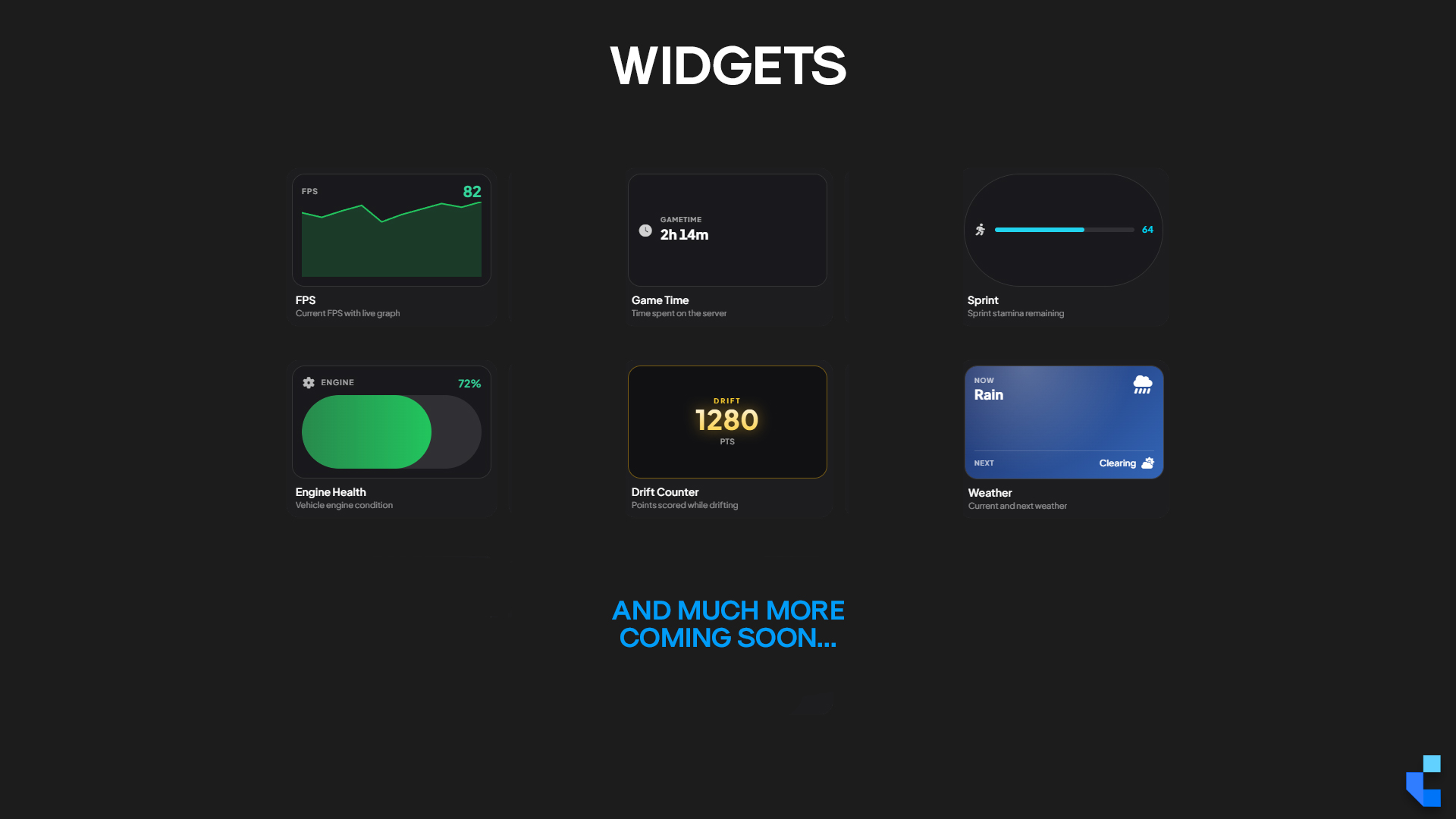
- A growing widget library: live FPS with a graph, drift counter, weather, sprint stamina, engine health, and more added regularly
- Standalone across ESX, QBCore, QBOX and vRP. Free for existing Complete HUD owners via Keymaster, and included in Complete Plus
Watch Complete Hud in action
Overview
The HUD is the one script every player on your server looks at for the entire session. It is also the script that generates the most "can you move this", "can you change that colour", "can you make this smaller" messages in your Discord. Complete HUD V3 answers all of them at once: the player opens the settings menu in-game and rearranges the interface themselves. Position, size, colour, every component, with the layout persisting on their client.
V3 is where the widget system arrives, and it is the part that changes what a HUD is for. Instead of a fixed set of bars, players pick the panels that matter to them — current FPS with a live graph, points scored while drifting, weather, sprint stamina, engine health. Widgets sit anywhere on screen, follow the same move-resize-recolour rules as everything else, and the library keeps growing. Several more are already in development.
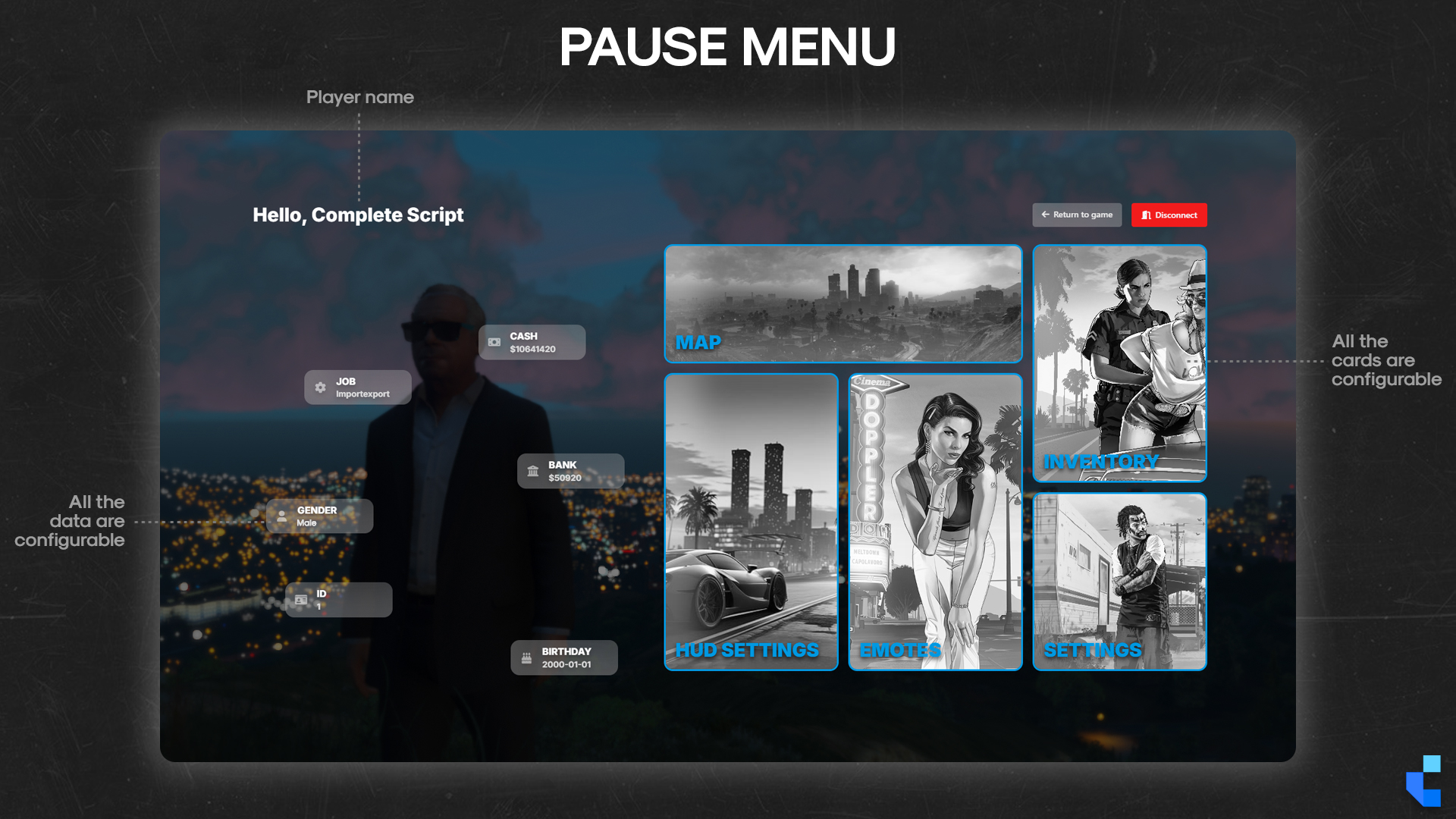
The rest of the rebuild is aimed at the server owner. Configurable promo popups let you push whatever you want in front of players, a new job, a store, a partner server, a rules change, with images and copy you control. Announcement popups reach everyone at once. Body damage status shows players exactly which body parts have taken hits. The radio panel lists every player currently on the channel, not just the one talking. And when you have built a layout you are happy with, config export lets you save it and carry it anywhere. The interface also ships with a locales folder covering the settings menu, the edit menu and the pause menu, so the whole thing can be read in your server's language, and any component you do not want can be switched off entirely rather than merely hidden.
What’s Included
- Widget System: A library of self-contained panels players add to their HUD — live FPS with a graph, drift counter, weather, sprint stamina, engine health and more. New widgets ship regularly
- Translatable Interface: A `locales` folder covers the settings menu, the edit menu and the pause menu, so the entire interface can be translated into your server's language
- Per-Component Disabling: Any component of the HUD can be turned off completely from the configuration rather than just hidden, so you run only the elements your server actually wants
- Full Component Control: Every component on screen can be moved, resized and recoloured individually from the in-game settings menu — layouts persist per client
- Smooth Component Animations: Components animate as values change and as they are moved or resized, instead of snapping between states
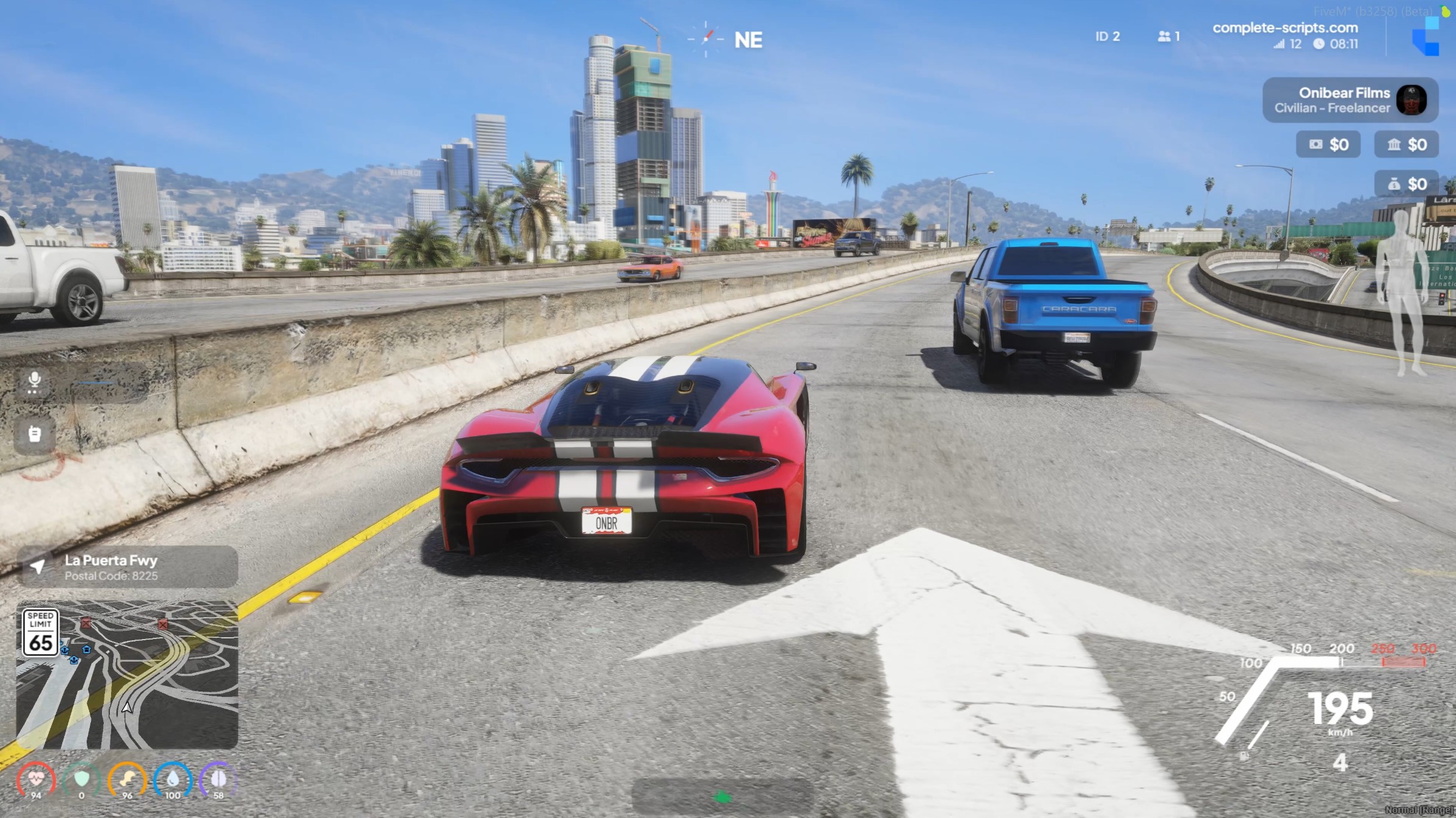
- Body Damage Status: A visual body readout showing exactly which body parts have been hit or damaged
- Radio Panel: Displays the full list of players currently connected to the radio channel, with the active speaker highlighted during transmissions
- Configurable Promo Popups: Schedule in-game popups with your own images and copy to promote anything on your server — jobs, events, partners, rule changes
- Announcement Popups: Push a server-wide announcement to every player on screen at once
- Indicators: Server-synced vehicle indicators, usable by keybind
- Config Import & Export: Export a finished layout to a config file and import it on another install or share it with your players
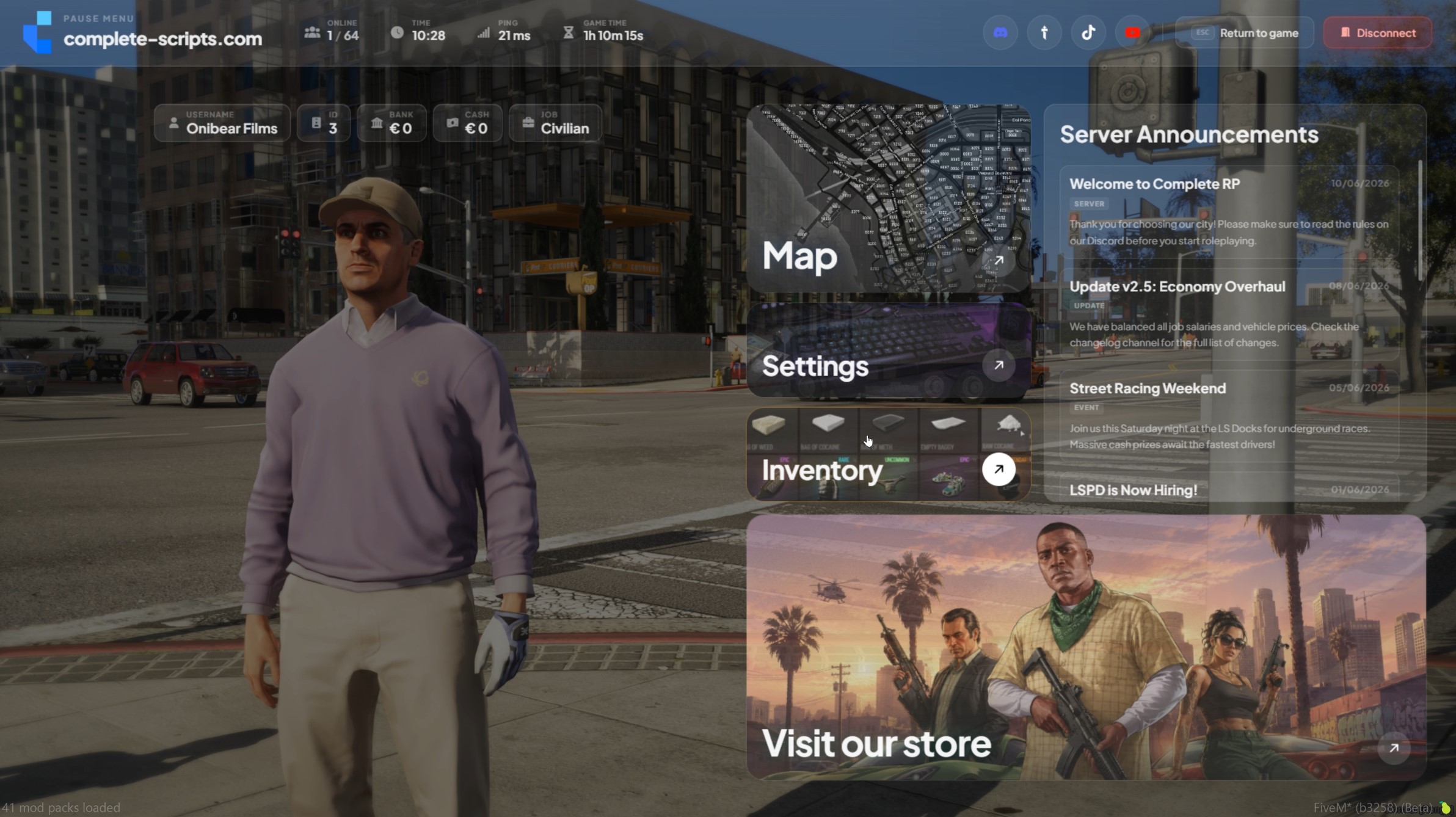
- Cinematic Pause Menu: Dynamic camera animation focused on the player's ped, replacing the static default pause overlay
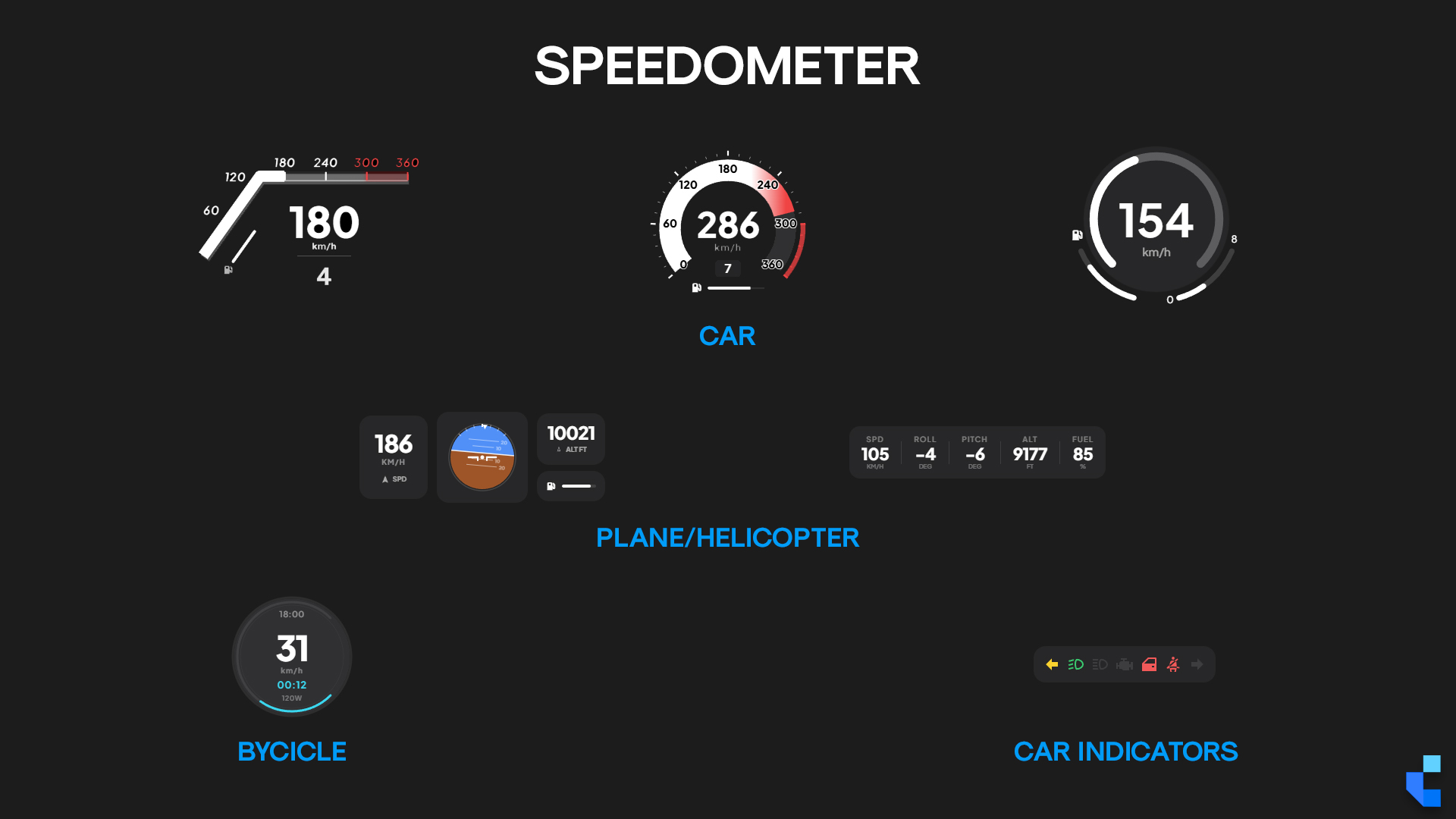
- Vehicle & Player Layer: Speedometer and engine health, weapons and ammo, compass, cash and bank display, stress, voice indicator, server ping and player count, status indicators and a keybinds list
- Standalone: Works across ESX, QBCore, QBOX and vRP out of the box, with open configuration sections for bridging to custom frameworks
Complete Plus
You’re looking at 28€. Complete Plus is 28€/month.
Covers Complete Hud, every other script we’ve shipped, and every release while you’re subscribed. Math check: if you’ll use two or more scripts in your build, Plus already costs less than buying them individually.
Dependencies
- Standalone / ESX / QBCore / QBOX
Recent Updates
- v3.1
Locales folder added — the settings menu, edit menu and pause menu are now fully translatable. Every HUD component can now be disabled completely from the configuration.
- V3 launch
New V3 release for Complete HUD.
- V2 maintenance
Stability pass and small QoL fixes across the settings menu and pause-menu camera transitions.
- V2 update
Radio speaker highlight improvements and stress system display refinements.
- V2 launch
In-game settings menu (color, position, visibility), cinematic pause menu, body health indicator, financial display, ESX/QBCore/QBOX/vRP standalone compatibility.
Frequently Asked Questions
I already own Complete HUD. Do I have to pay for V3?
No. Every update we ship, including major version upgrades, is free for existing buyers — there is no paid "V3" tier. Re-download the latest archive from your Cfx.re Keymaster account and swap the resource folder.
Can players change the layout themselves, or does the server owner have to do it?
Players do it themselves, in-game. Position, size, colour and visibility for every component. No server restart, no config.lua edits, no admin involvement.
Which widgets are included?
The current set covers live FPS with a graph, drift counter, weather, sprint stamina, engine health and session timers. The library is actively growing — new widgets ship as regular updates, free to existing buyers.
Can we translate the HUD into our server's language?
Yes. V3.1 added a `locales` folder covering the settings menu, the edit menu and the pause menu. Copy one of the existing locale files, translate the strings, and select your language in the config.
Can we turn off the parts of the HUD we do not want?
Yes. Since V3.1 every component can be disabled outright from the configuration, not just toggled out of view, so you can run only the elements your server needs.
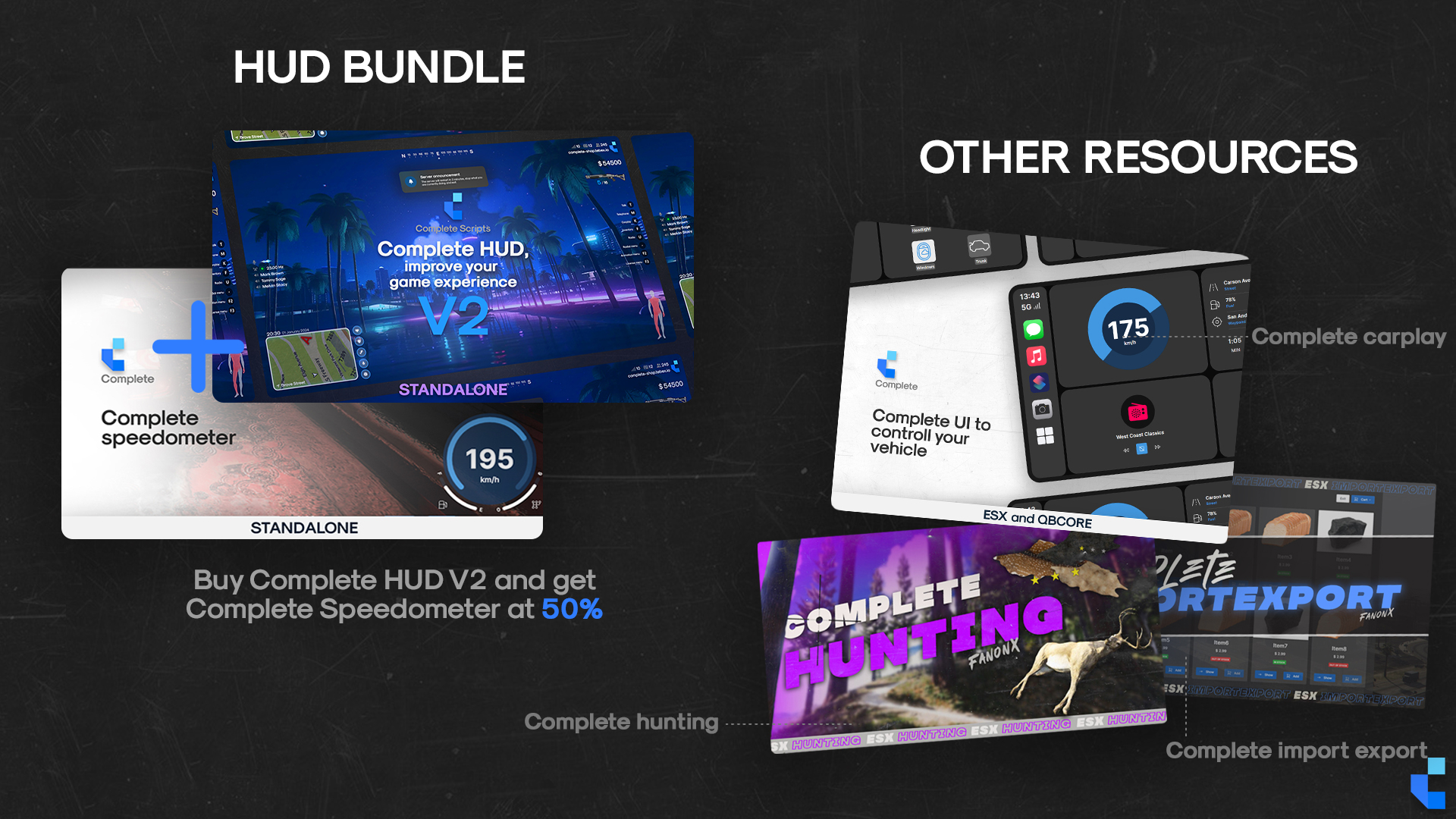
Do I still need Complete Speedometer if I own HUD V3?
No. The vehicle speed display is built into V3.
Technical Notes
Distributed via Cfx.re Asset Escrow with open configuration sections for framework bridging. Current version: V3.1. Framework compatibility: standalone across ESX, QBCore, QBOX, vRP. No external audio, streaming, or database dependency. The in-game settings menu writes to local storage so player preferences persist per client. Interface text is translatable through the bundled `locales` folder, and every component can be disabled individually from the configuration. All future updates and major version upgrades free via Keymaster re-download.
Support & Refund Policy
For purchase or website support, please contact Tebex. We offer support all the days, with faster response times during weekdays, but only during working hours of GMT+1.
Refunds are not accepted after purchase as the package is delivered in a fully functional condition. In some cases, and at our sole discretion, we may offer a refund if the issue cannot be resolved or if you are unable to get the script working despite our best efforts. We reserve the right to deny a refund request at any time and for any reason. Initiating a chargeback may result in actions from Tebex and Complete Scripts due to violations of Tebex policies.