- Home
- Complete Carplay
Complete Carplay
39.99 €
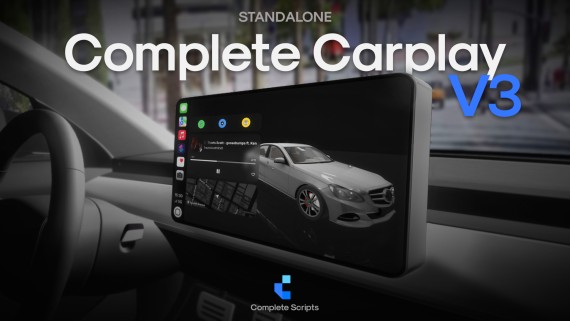
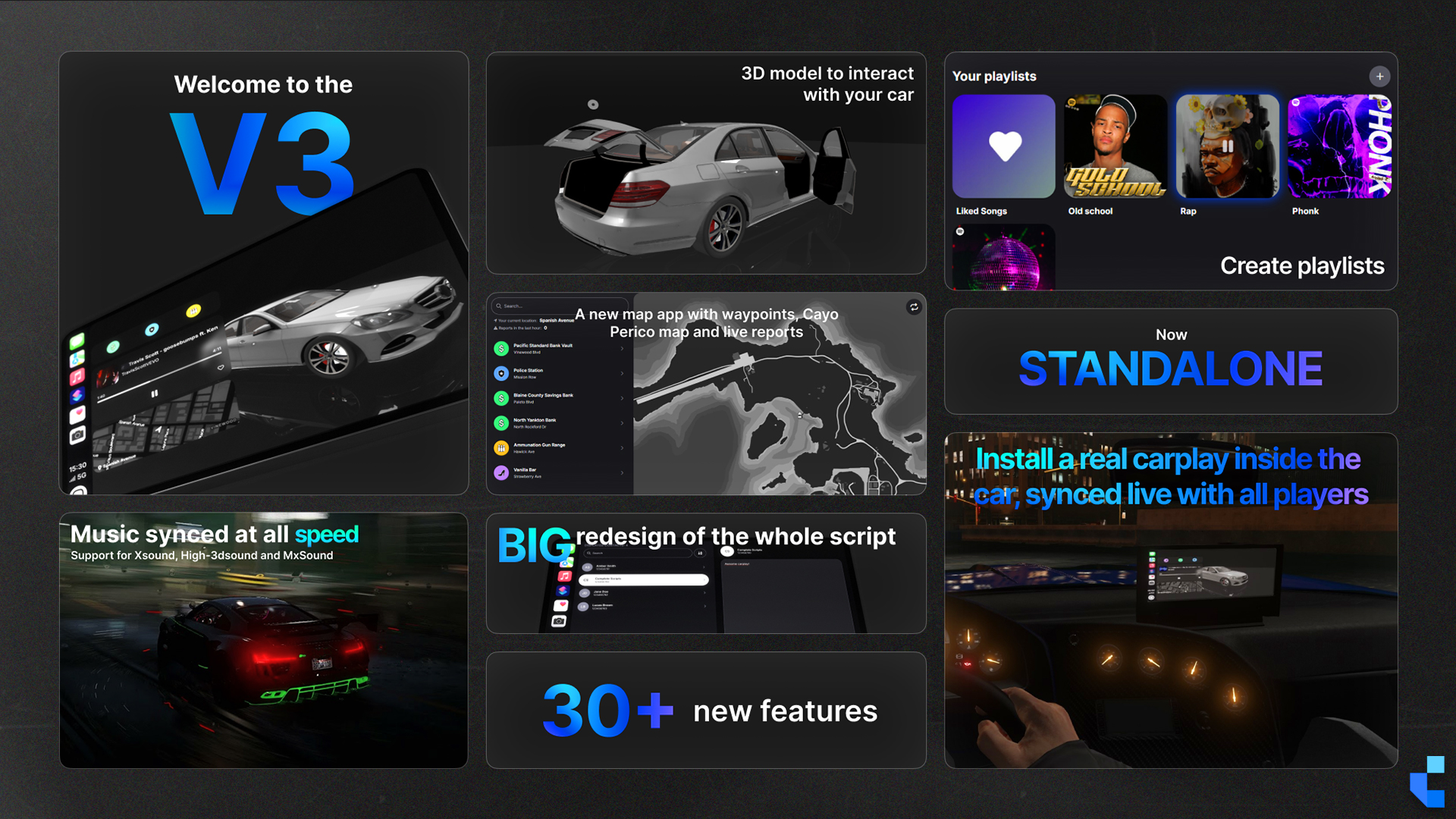
Complete Carplay V3 brings a whole new driving experience to FiveM. Featuring a real in-vehicle object that projects the CarPlay interface, a fully redesigned UI, synced music with customizable playlists, and the ability to interact with a live 3D model of your vehicle. Whether you're cruising, reporting live events, or managing your music, Complete Carplay V3 gives you full control, real-time immersion, and a seamless connection between you and your car.
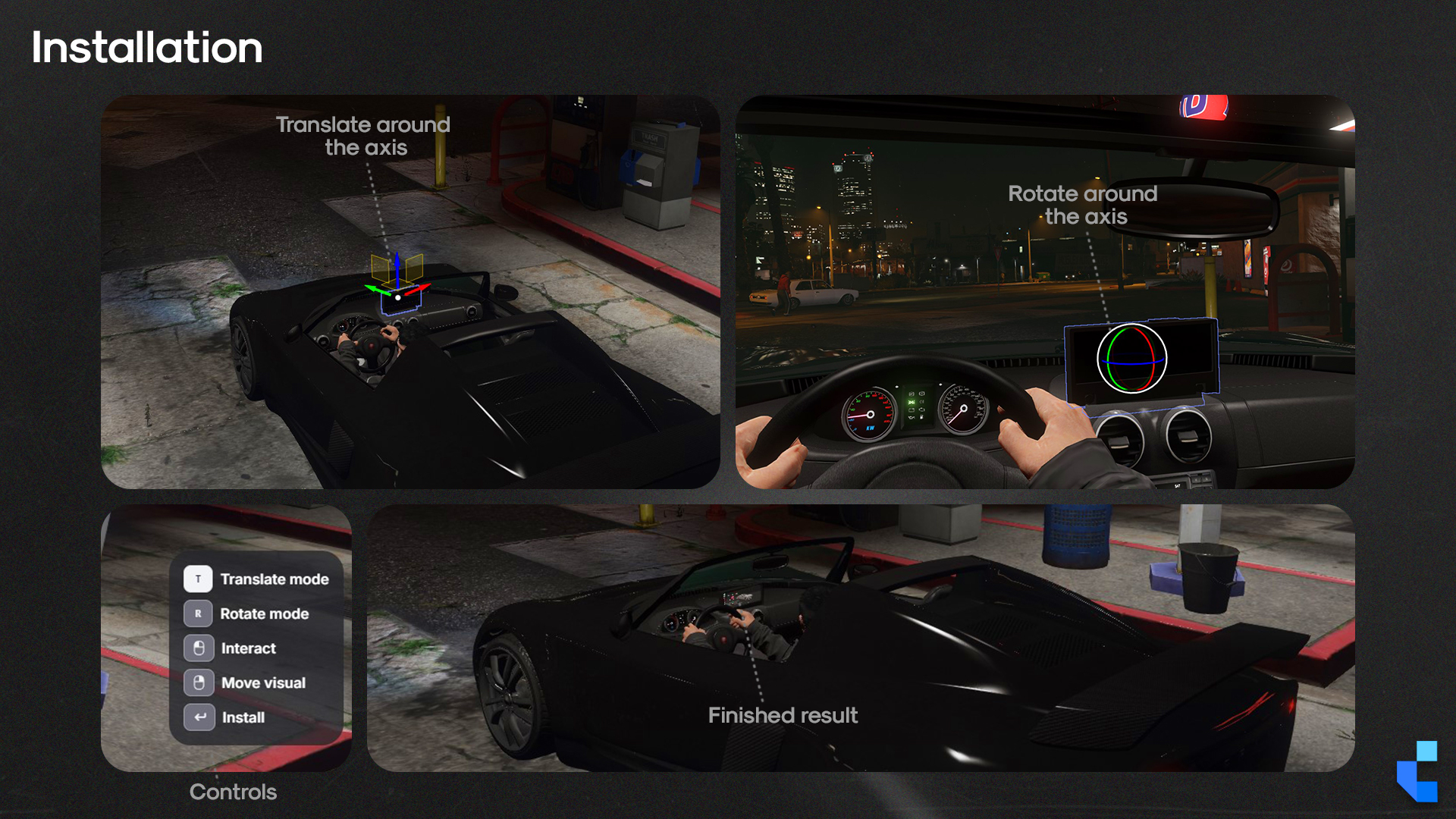
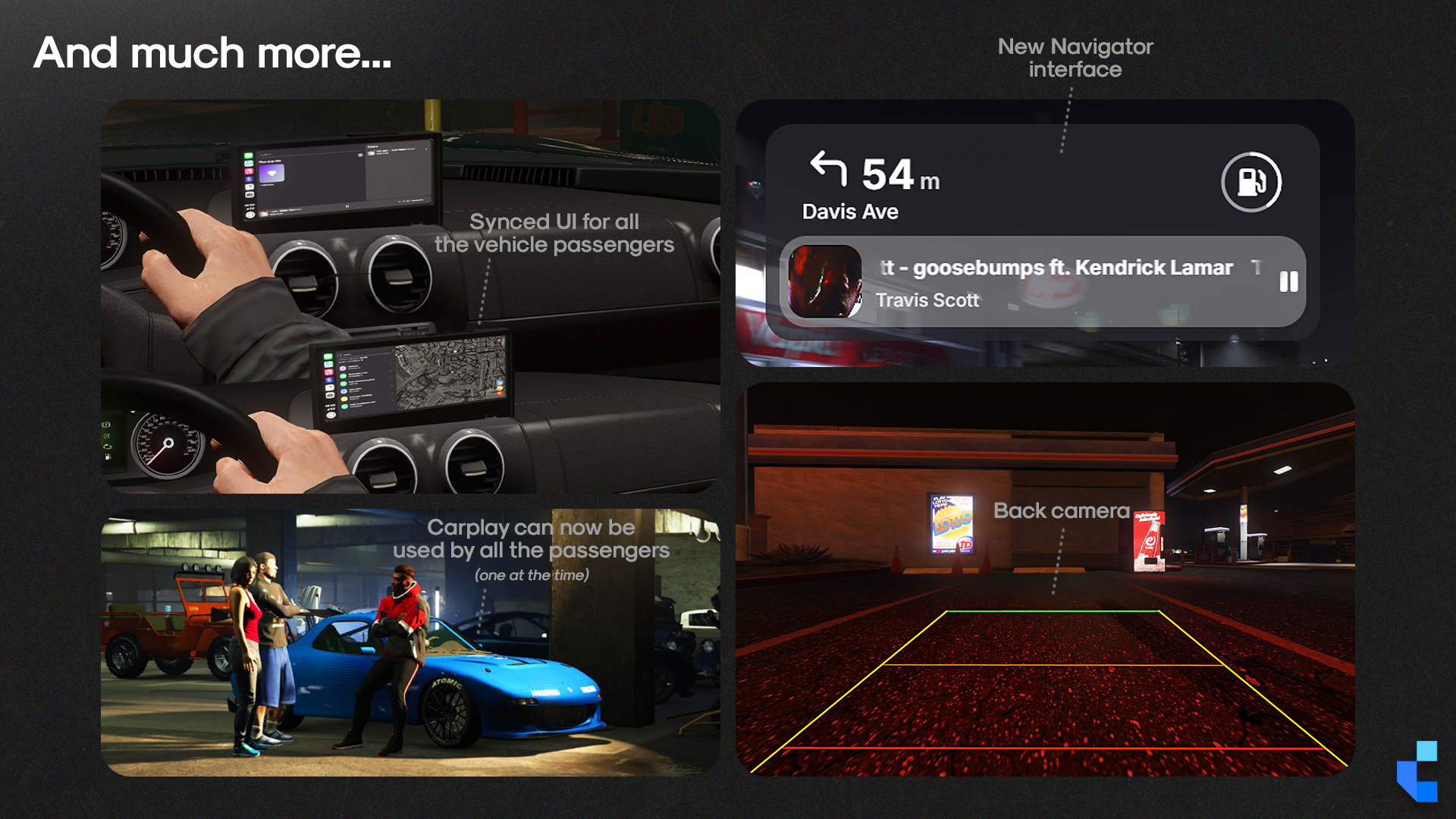
- A 3D in-dash prop projects the CarPlay UI inside the vehicle, visible to driver and passengers
- Music syncs across every player in the cabin simultaneously, powered by xsound
- Standalone across ESX, QBCore, QBOX, and vRP, one purchase, all future updates free
Watch Complete Carplay in action
Overview
The problem with driving in FiveM roleplay is that there's nothing to do while behind the wheel. Complete Carplay replaces the dead driving experience with a genuine interactive system: other than interacting with a simple UI on screen, you also get a physical dashboard prop that renders the CarPlay interface inside the car, players browse and manage playlists, and a 3D model of the vehicle is accessible directly from the music screen.
Audio sync is where the immersion becomes visible to everyone in the cabin. Every player hears the same track at the same volume simultaneously, the xsound or mx-surround libraries handle attenuation realistically, so sound bleeds out when doors are open and tightens when they're closed and it's what makes it feel like a real car rather than a floating menu.
For server owners, this translates to one concrete outcome: driving stops being transit time and becomes engagement time. Players who would have tabbed out on a 10-minute drive to the countryside now have something to interact with. That's session length, and session length is the metric that drives donor conversion.
What’s Included
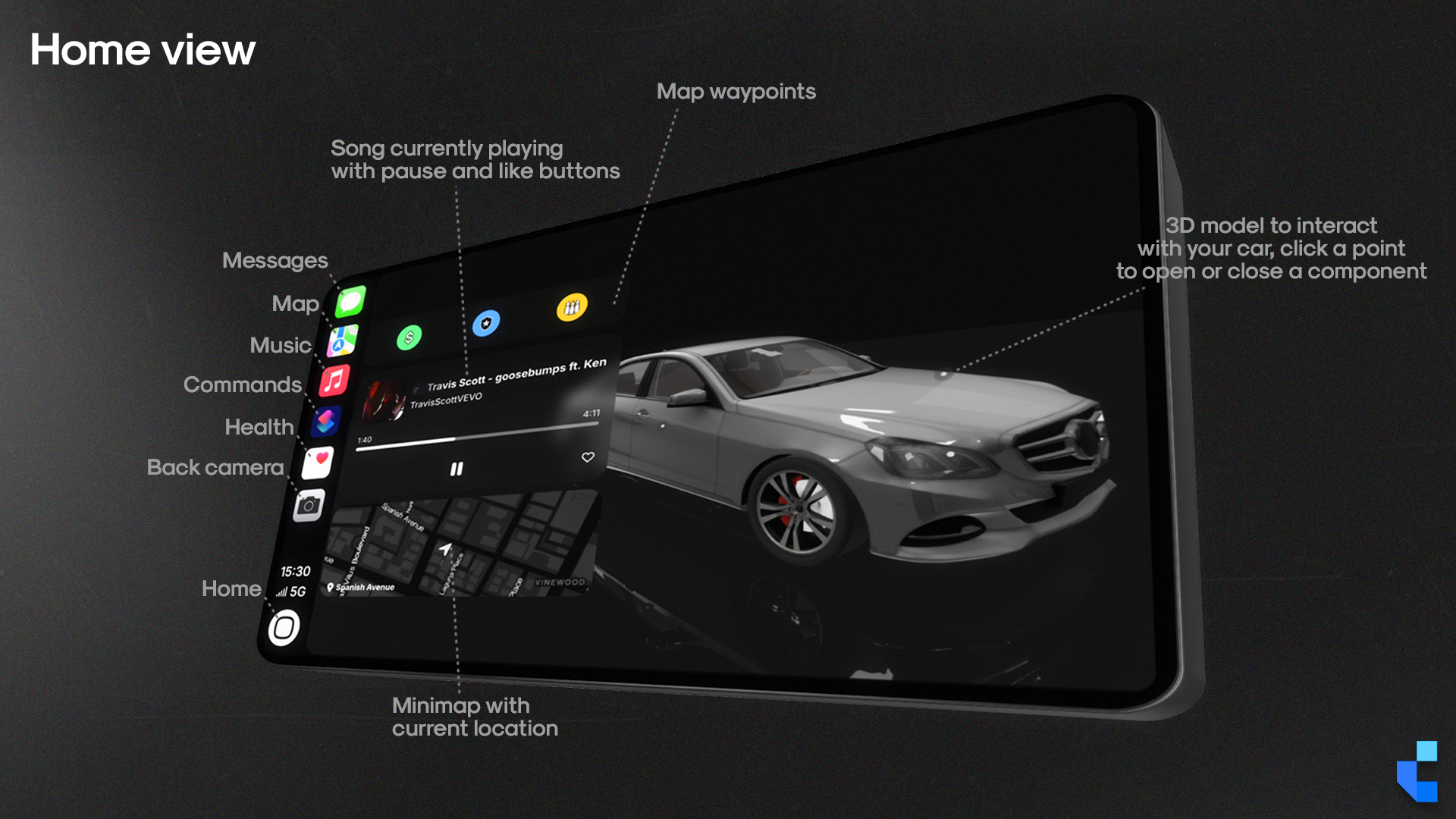
- 3D In-Vehicle Prop: A physical dashboard-mounted object renders the CarPlay interface inside the car, visible and synced from both the driver and passenger seats
- Synchronized Audio: Every player in the vehicle hears the same track simultaneously; xsound or mx-surround handles realistic cabin audio attenuation based on door state
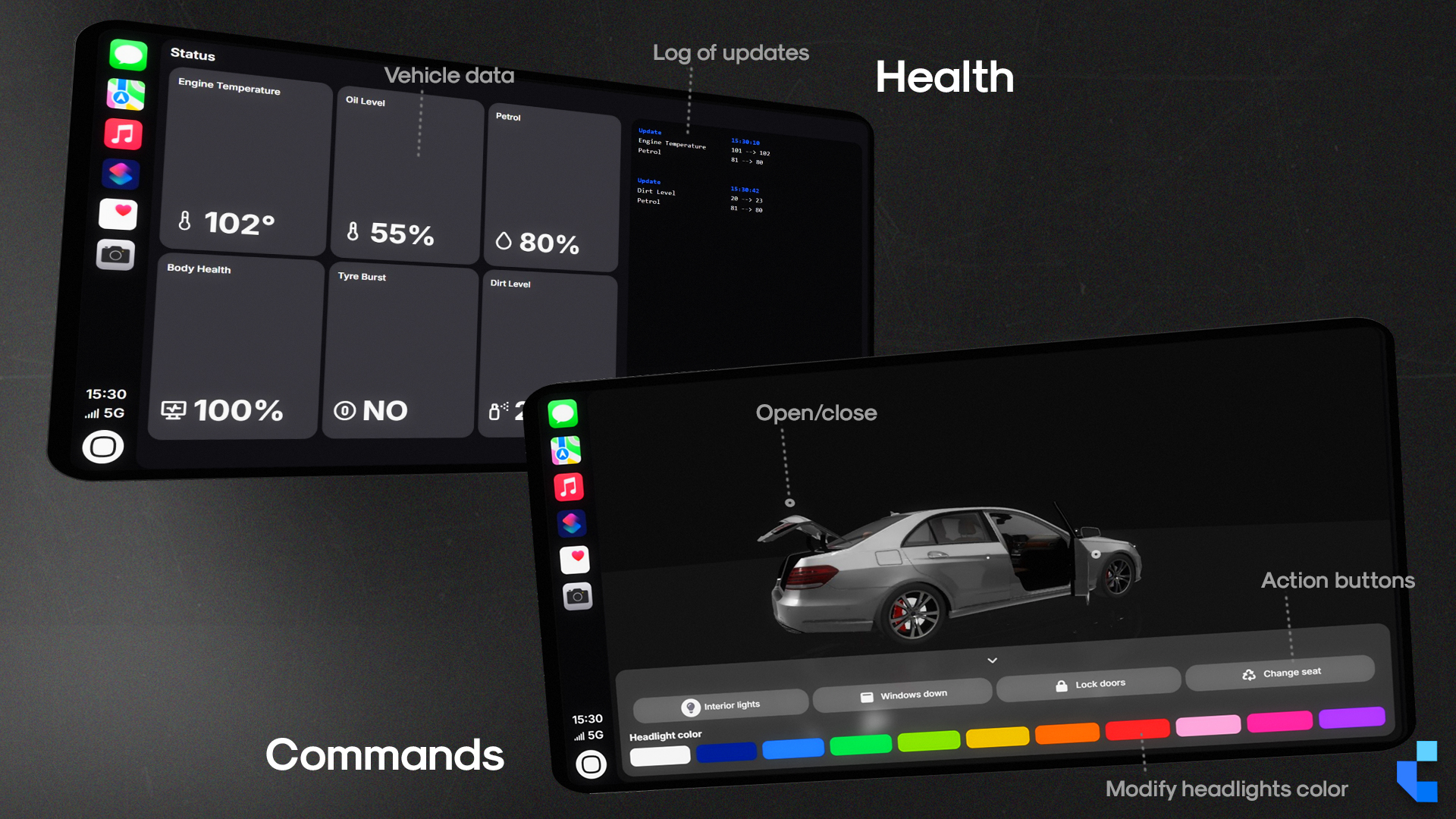
- Live 3D Vehicle Viewer: Players can inspect a real-time 3D render of the situation of the current vehicle directly from within the CarPlay screen
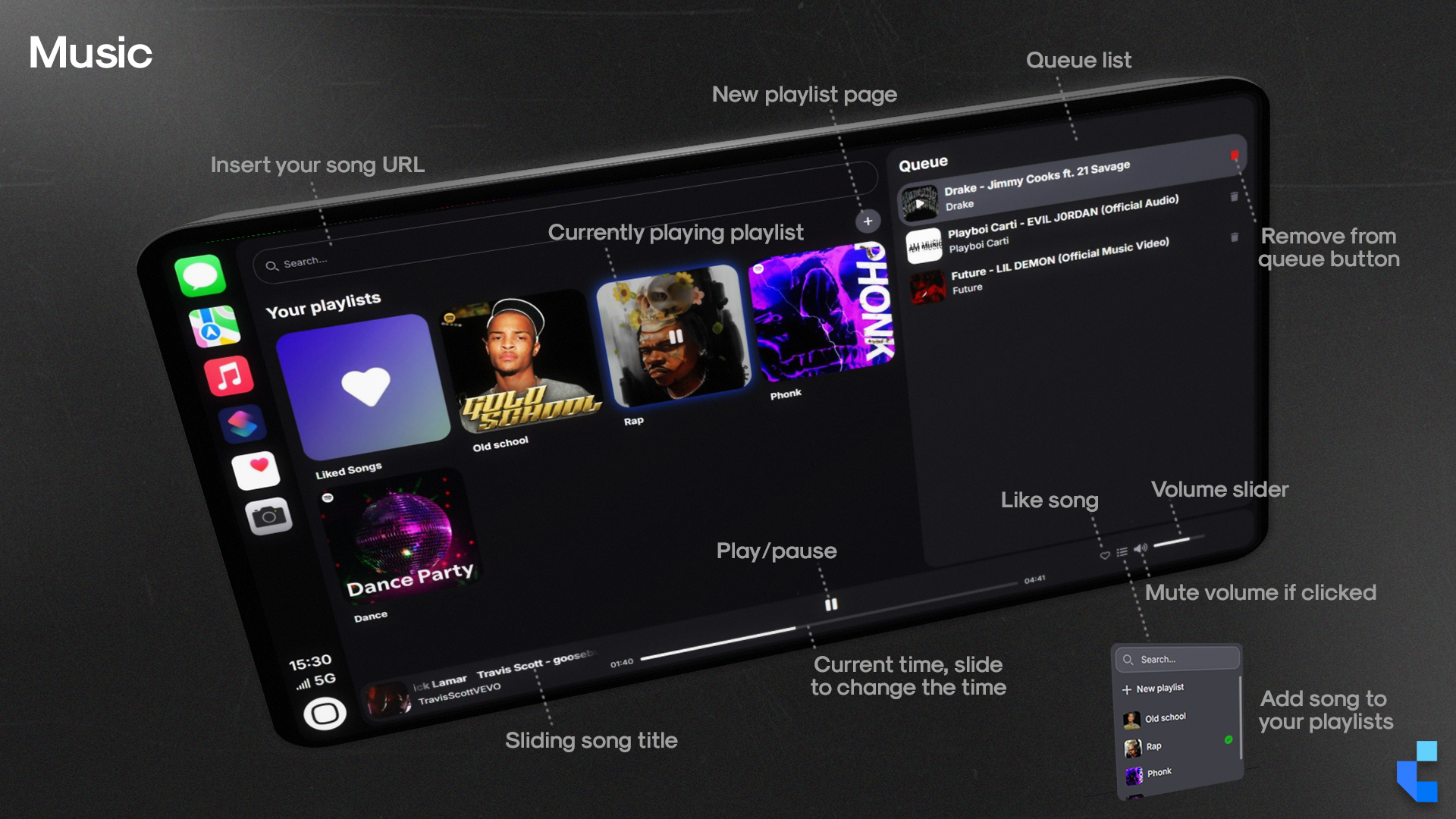
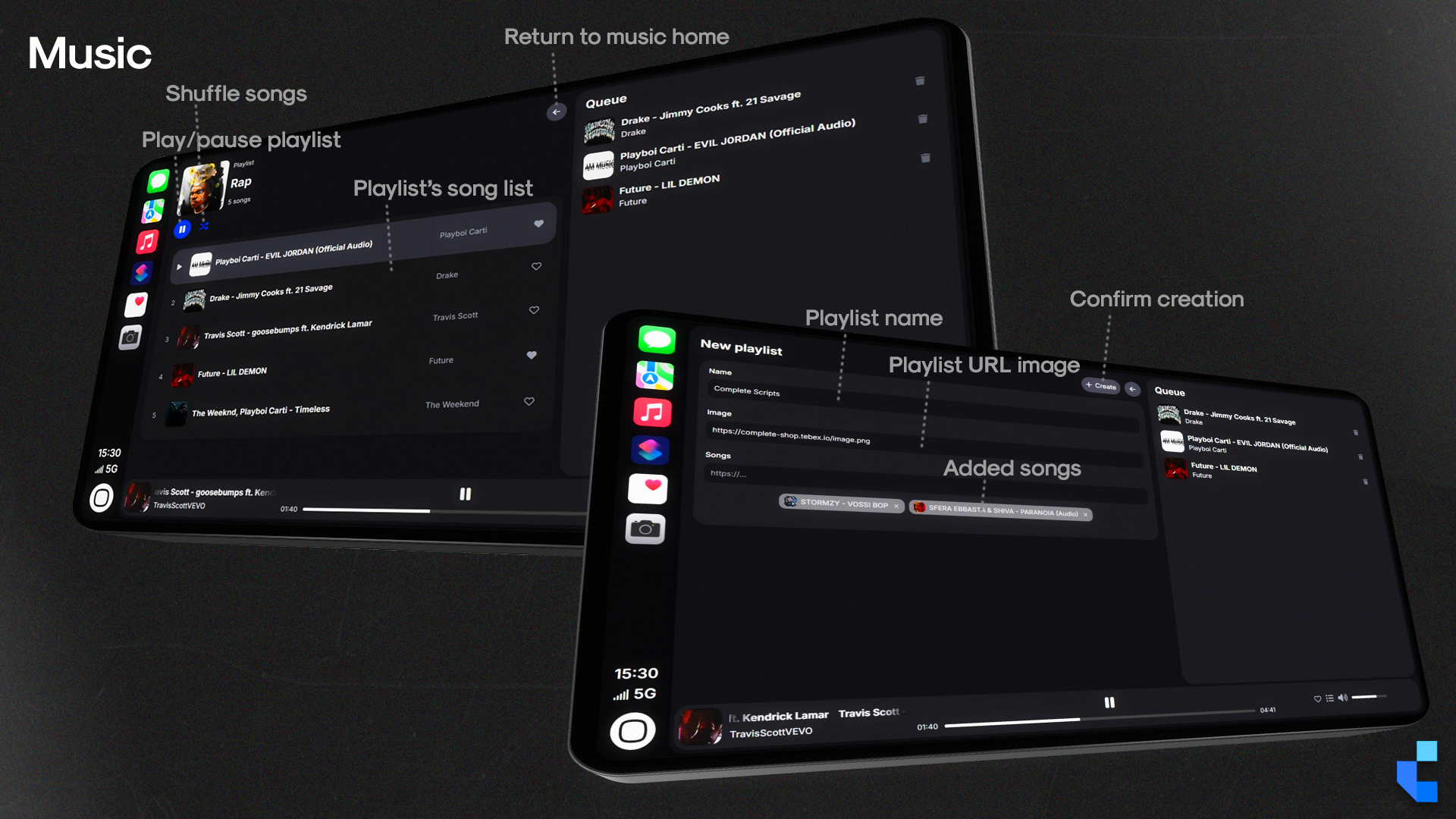
- Import Playlist: Pull saved tracks from any vehicle in the player's owned garage and load them into the current session
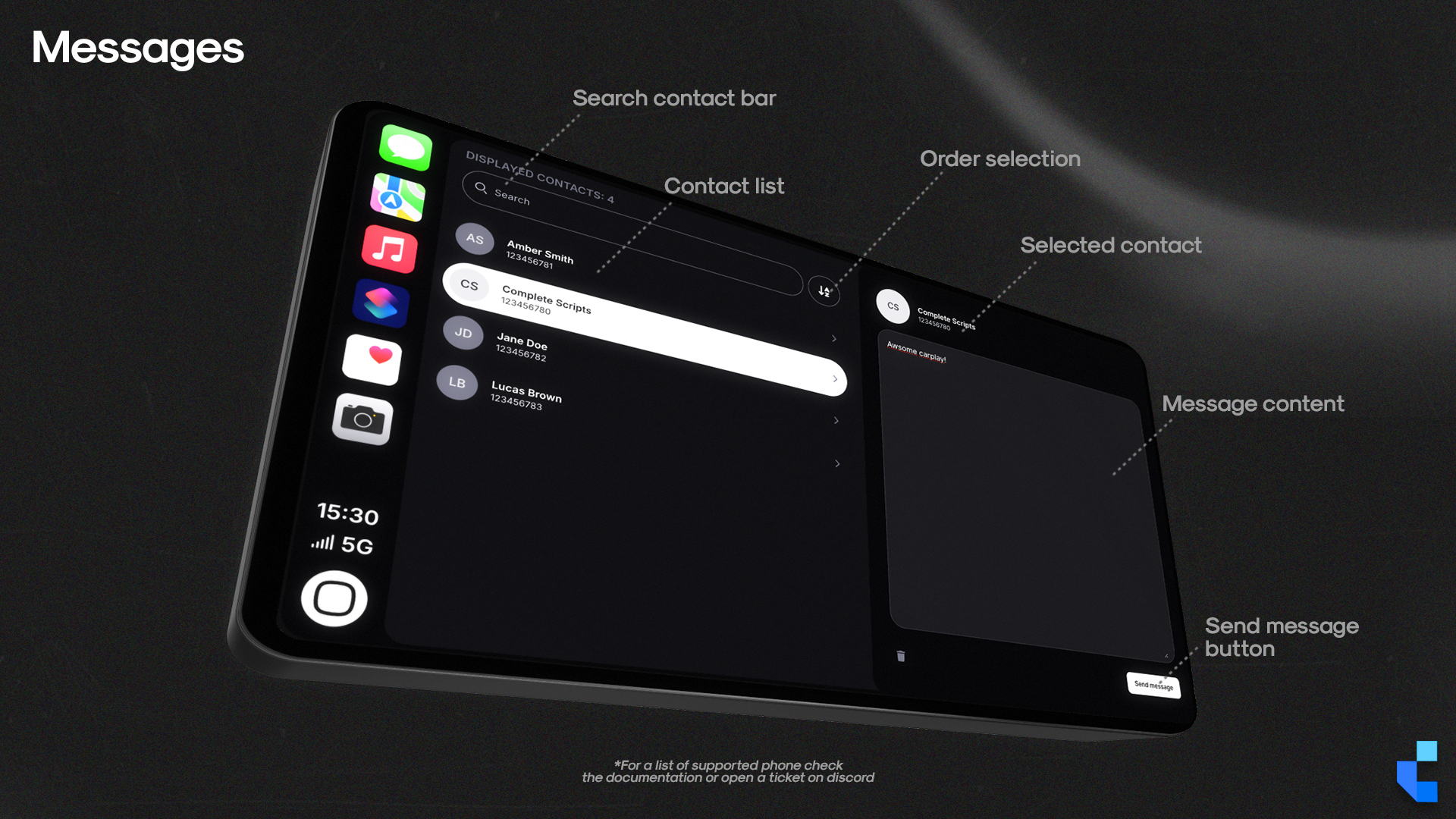
- Messages: Send text messages to other players directly from the CarPlay interface, with real-time delivery (only for supported phones scripts)
- Integrated Playlist Search: A built-in search field inside playlist menus, no scrolling through large track libraries
- Car health: Displays current vehicle health information like engine, dirt, body, and keeps track of the logs
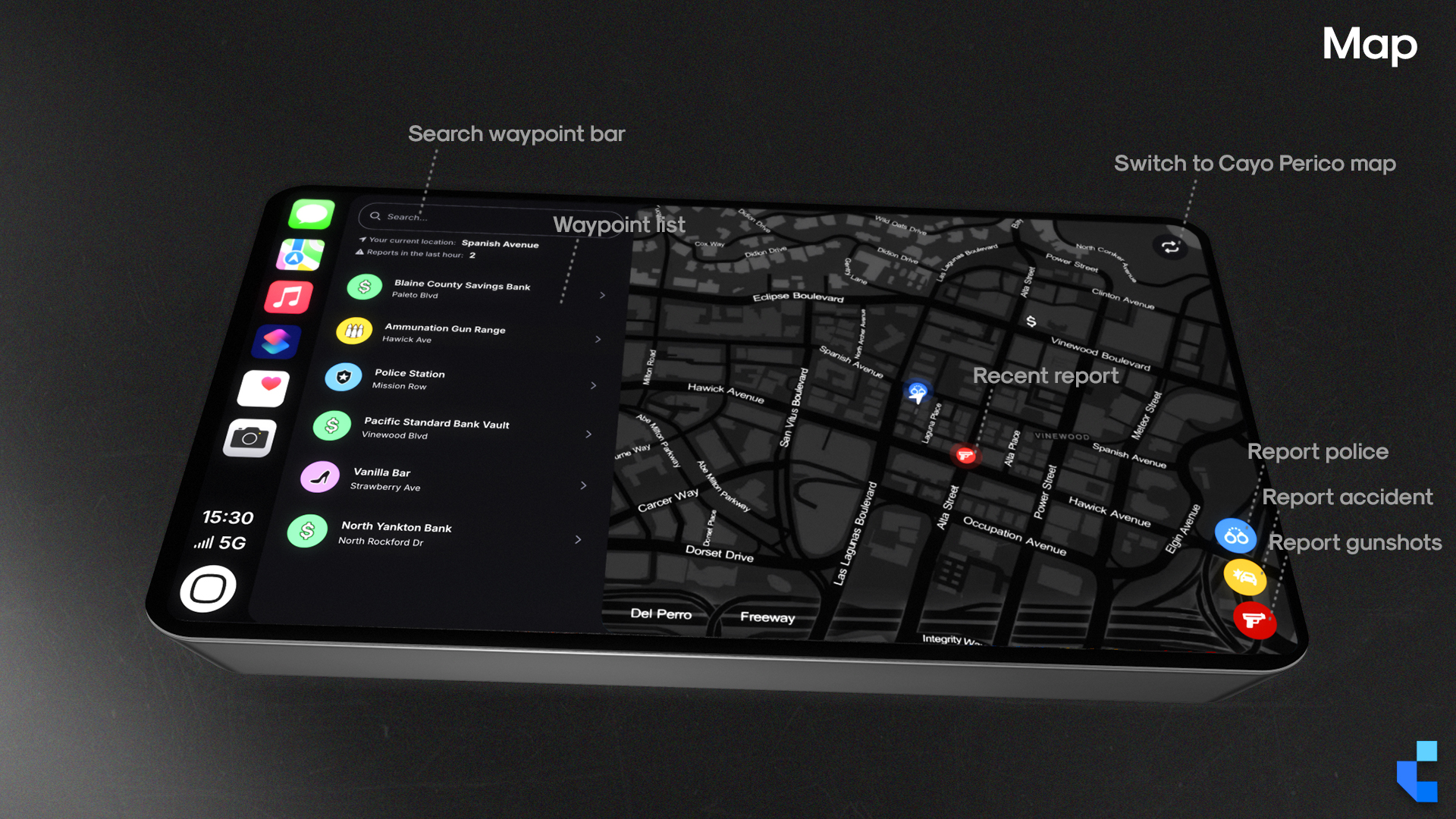
- Real-Time Map Events: Players can report live events (accidents, police, gunshots) through the map app, visible to all players on the server
- Inventory System Hook: An exposed function in `server.lua` lets your development team bridge item-check logic to any economy or inventory system without touching escrowed code
Complete Plus
You’re looking at 39.99€. Complete Plus is 28€/month.
Covers Complete Carplay, every other script we’ve shipped, and every release while you’re subscribed. Math check: if you’ll use two or more scripts in your build, Plus already costs less than buying them individually.
Dependencies
- Standalone / ESX / QBCore / QBOX
- ox_lib
- xSound or Mx-Surround
Recent Updates
- v3.1.0
Import Playlist (pull from any garaged vehicle), adaptive cover art color accentuation, integrated playlist search, hover-triggered delete action, HasCarplayItem server hook exposed, Mx-surround compatibility patch.
- v3.0.1
DisableHeadlightsColor HTML config flag added to restrict headlight color permissions per server policy.
- v3.0.0
V3 launch — full rewrite of the UI, 3D in-vehicle prop, xsound-synced cabin audio, live 3D vehicle viewer.
Frequently Asked Questions
Will my Carplay playlists and favorite songs save after I relog?
Yes, but the included `.sql` schema file must be imported into your server's active database first. Locate it in the script's root directory and import it before first run. If playlists reset on relog, this is the cause every time.
What is the restricted mode that appears on my CarPlay?
It means that the car you are using the CarPlay in is not an owned vehicle but instead a spawned one (via admin or npc). To remove this message, you need to own the car in-game. Otherwise, carplay would not be able to save information about the car inside the database.
Players outside the car can barely hear the music. Is something broken?
No, this is intentional behavior from the xsound or mx-surround audio library, which simulates physical sound isolation. Closed doors trap audio inside the cabin. To soften the attenuation, open `config.lua` and raise `Config.XSoundDistanceClose` (a value of `15` is the recommended starting point).
Does this work if our server uses a custom inventory system?
Yes. The `HasCarplayItem` function is exposed in `server.lua` specifically so your team can bridge it to any inventory logic without touching escrowed files.
Technical Notes
Requires `xsound` or `mx-surround` as an external audio dependency, install and configure xsound or mx-surround on your server before enabling Carplay. Persistent playlist data (favorites, per-vehicle settings) requires importing the bundled `.sql` schema into your MySQL/MariaDB instance. Framework compatibility is genuine standalone: works across ESX, QBCore, QBOX, and vRP without modification. Distributed via Cfx.re Asset Escrow; `server.lua` and configuration sections are open for bridging. Current version: v3.1.0. All future updates free via Keymaster re-download.
Support & Refund Policy
For purchase or website support, please contact Tebex. We offer support all the days, with faster response times during weekdays, but only during working hours of GMT+1.
Refunds are not accepted after purchase as the package is delivered in a fully functional condition. In some cases, and at our sole discretion, we may offer a refund if the issue cannot be resolved or if you are unable to get the script working despite our best efforts. We reserve the right to deny a refund request at any time and for any reason. Initiating a chargeback may result in actions from Tebex and Complete Scripts due to violations of Tebex policies.